Customers can promptly activate debit cards by using the following steps:
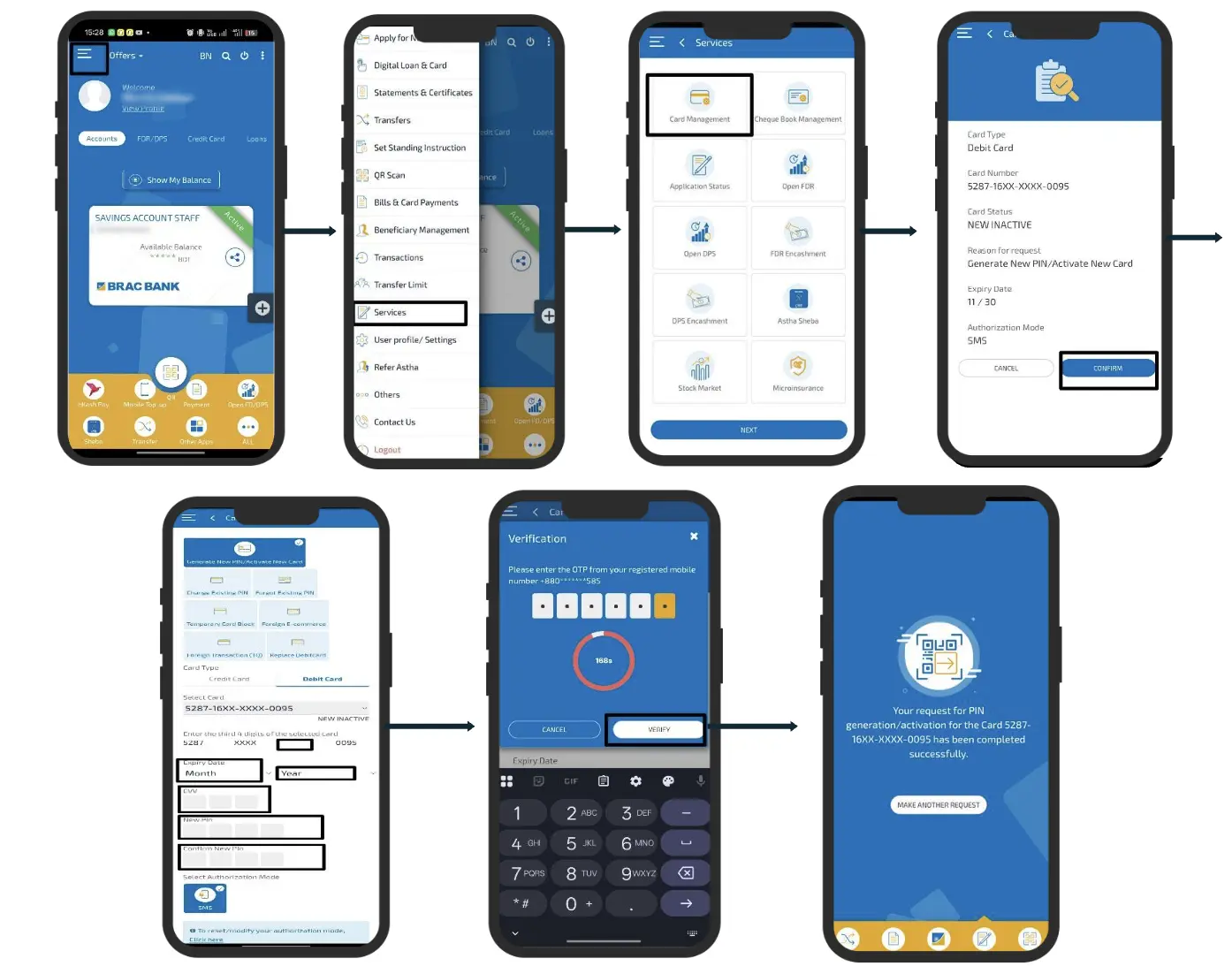
Please log in to your account on the Astha App using your Username and Password.
- Select ‘Services’, then choose ‘Card Management’ and then select ‘Generate New PIN/Activate New Card’ from the options.
- Enter the 4 missing digits of your debit card number in the blank space along with the CVV and expiry date and then set a 4-digit PIN.
- Press ‘Confirm’ and enter the 6-digit OTP sent to your registered mobile number or email to complete the process.
- Visual Guide: A step-by-step video tutorial is available to guide users through this seamless process: https://tinyurl.com/Bn1DCv.